
Self-service business intelligence means, in simple terms, that any person can create professional overviews without prior knowledge and with little effort. Data is imported automatically from the tools you use and internal sources, prepared, and ready for visualization.
As a result, there is no need for a dedicated department to create reports. Executives, specialist teams, and individual contributors get live insights into company-wide activities and outcomes—and can make better decisions based on them.
Flexible visualization and filtering options provide the depth you need. Role-based access controls make it possible to limit access so that certain data is only available to selected team members—or even to customers.
How much did we spend on Campaign X last quarter? Was investing in Channel Y worth it? What can we learn from both—and use for future budget decisions? With self-service BI, marketing can answer these questions on its own instead of waiting for an IT report.
This article is aimed at freelancers and companies who want to benefit from self-service BI. It explains how it works, what typical pitfalls to watch out for, and how to get started.
Contents
Key takeaways
- Self-service BI makes business intelligence affordable and usable for anyone—without prior knowledge.
- BI leads to faster, lower-risk decisions with sustainably better outcomes.
- The BI cycle supports continuous, proactive detection of bottlenecks, opportunities, and trends.
- Successful implementation needs clear guardrails: governance prevents KPI sprawl and data silos.
Basics
What self-service BI really means
Today, every company that uses software has access to data from a wide range of platforms: accounting software, CRM systems, marketing tools. In addition, there are internal spreadsheets, external data (e.g., for marketing analytics), and much more.
Often, this data can only be accessed individually across different tools and storage locations—rather than being available centrally in a way that can be visualized and analyzed.
A self-service business intelligence solution makes it possible to store, visualize, analyze, and share this data in one application—without depending on a central IT department.
Role and permission systems govern who can access which data—and who cannot. Anyone with access can run analyses independently and create content such as reports and dashboards, without prior knowledge and with little effort.
Why self-service BI makes sense right now
In many organizations, data volume and the number of data sources continue to grow. At the same time, requirements change faster and faster. Under these conditions, simple and consistent analysis processes make sense—so data can be used economically.
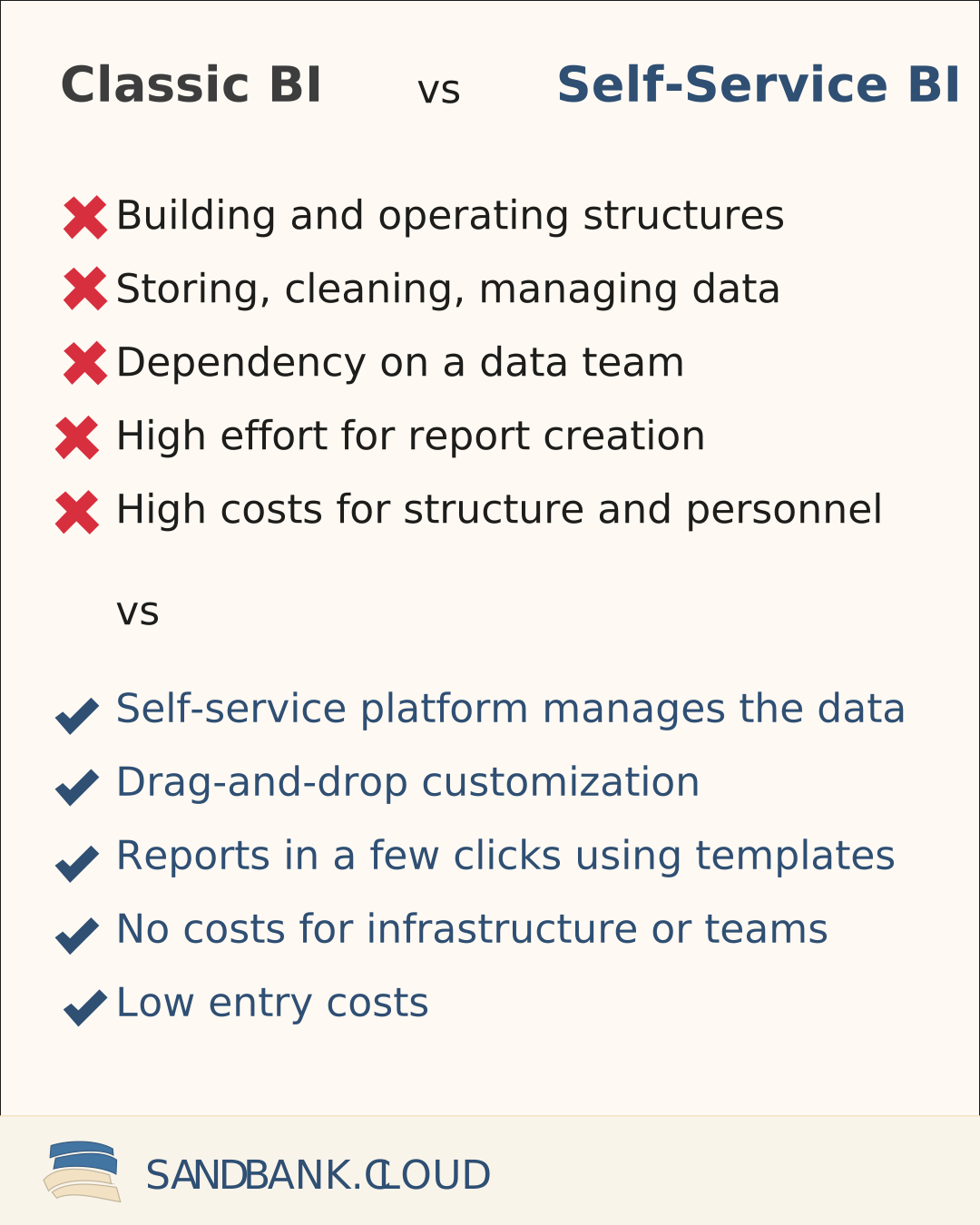
Classic BI delivery models—where the IT department stores, cleans, and builds reports on request—can still be valid. But they often fail to provide the agility needed when requirements change frequently.
Modern self-service business intelligence platforms offer fewer options for complex analyses. In return, you do not need separate systems, additional staff, and the costs are a fraction of running your own data storage, processing, and visualization architecture.
Avoid common beginner mistakes
Self-service BI creates real productivity gains, but without guardrails it can produce the opposite effect. The most common problems:
Report chaos and KPI inconsistencies
If everyone defines their own metrics, you end up with different versions of the same metric. Reporting without clear goals—and working without professional templates—can slow down progress.
Solution: central metric definitions for the team. Best practices for professional dashboards (see Build effective dashboards) should be followed. Templates prevent these problems from the start and also save time.
Missing alignment and missing training
Professional templates and a setup that takes only a few clicks make self-service BI applications usable right away. But the freedom these tools provide can lead to teams working against the system.
Free-form design instead of templates—or duplicated work—can happen when teams simply start without alignment.
Solution: clear responsibilities within the team. Who owns which dashboards and numbers? A shared onboarding of the software. An overview of which features exist and which ones should be used together.
Missing data structures
If the software tools a company uses do not allow exporting data, a self-service application cannot visualize that data either.
Solution: automated data transfer—or at least export via .xlsx or .csv—should be a selection criterion for any business software.
Choosing a self-service BI solution
Data can be connected easily
Ideally, BI software offers many native integrations to common platforms: Google Analytics, HubSpot, SevDesk, LinkedIn Ads, and so on. That means data can be made available with just a few clicks.
In addition, there is often internal data from internal systems or manually maintained sources. Ideally, there should also be a way to connect and/or upload this data.
Storage and preparation of data
Many large BI applications act only as visualization tools. They are designed to display data that you already manage yourself.
A self-service application takes over these processes. There is no need to store, clean, or manage the data yourself. The platform takes care of regular updates, data quality, and performance.
Templates for dashboards and reports
The structure and content of dashboards are crucial for the value they provide. Professional templates remove this hurdle and save a great deal of time.
Because requirements differ, templates should be easy to adjust when needed—but the foundation should be well thought out and immediately usable.
Role management and easy sharing
Business data has different stakeholder groups. It should be easy to share dashboards internally and externally.
In addition, there should be a way to reserve sensitive data and certain actions for specific users. A simple role model based on the “least privilege” principle (only the minimal required permissions) protects against data leakage.
Limitations of self-service BI
Self-service BI is strong when teams need fast, reliable answers. But there are typical limitations where additional roles, processes, or a stronger data platform become necessary:
- Complex data models and custom logic: Many edge cases, forecasting logic, or strict modeling requirements usually require a semantic layer and clear ownership.
- Data quality and trust: Self-service often fails because of missing definitions, tests, and monitoring — not because of the tool.
- Permissions, audits, compliance: The more sensitive the data and the larger the team, the more important roles, approval flows, and logs become.
- Performance at scale: For very large volumes or near real-time requirements, you typically need a data warehouse, aggregations, and caching strategies.
Pragmatically: start with self-service, but add guardrails early (KPI definitions, ownership, access model). Once a domain hits limitations repeatedly, professionalize the data and governance building blocks for that domain.
Adoption & governance
Who is self-service business intelligence relevant for?
Ideally, every decision-maker should have access to the most current data possible to make decisions on that basis.
As a result, self-service business intelligence is relevant for every freelancer, every executive, every department lead, and every individual contributor.
Concrete examples:
- Executives: No more manually created reports across different areas. Activities and outcomes across departments are visible live and can be filtered precisely.
- Marketing: A consolidated overview across all sources. No switching between platforms, no manual compilation of data, and no time-consuming comparisons across sources or time ranges.
- Agencies: Customers get their own access and can access and filter their data at any time.
- Controlling: Live overviews of inflows and outflows, budget spend, and deviations at the push of a button.
Self-service BI not only makes it possible to make better decisions independently, but also to validate those decisions with internal or external stakeholders.
Best results as a company culture
Business intelligence is much more than a tool. Outcomes and outcome drivers can be made visible for everyone. Everyone can get visibility into the outcomes that should be improved. Goals become more tangible and successes more traceable.
Decisions are made based on facts, not gut feeling. The outcomes of these decisions become visible and form the basis for new decisions. Work processes align around optimizing those outcomes.
This requires clear responsibilities for data, rules for access and use, and a culture of transparency.
A minimal role setup that works even in smaller organizations
-
Domain owner: Owns goal-setting, implementation, and communication. This person is responsible for steering, optimization, and reporting. Example: the head of sales is the owner for all sales data.
-
Platform owner: Helps with questions about the BI application and data integration. Connects new data sources, manages permissions, and provides general support around the tool.
-
Team members: Get visibility into the numbers for their area and work together with the domain owner to reach the goal.
The goal is not for everyone to make everything visible. Clear ownership ensures that the right people know about the important data, KPIs, and their development.
Start with manageable sub-projects. Transparent communication with the team matters.
Consider privacy and security from the start
As soon as personal data or sensitive company data comes into play, self-service BI quickly becomes a formal topic.
For the EU/Germany, GDPR is central. Important principles:
-
GDPR and software: privacy must be anchored in the BI software you use. Default settings should be configured accordingly by the platform owner.
-
Least privilege: each user receives only the minimal required permissions. Access to sensitive data is strictly controlled and logged in an auditable way.
Workflow: start in 4 steps
Plan and build the data foundation
Plan goals, responsibilities, dashboards, and KPIs.
Pick 1–3 concrete processes that should improve. Name owners as well as the required dashboards and KPIs to monitor.
What are the most important business processes? Where do we already have data? Where is data already being used? Where can data best support decisions? Where are important decisions often made? Where does decision quality have the biggest impact?
Questions like these help identify the areas with the highest value from self-service business intelligence.
Start small
Smaller pilot projects help identify early hurdles and plan for them as you scale.
It’s recommended to accompany the process for a few weeks: clarify questions, guide usage, and optimize before rolling out broadly.
Optimize
After the initial setup, you can and should continue observing both the application and the processes behind it—and adjust as needed.
Users should be involved directly in optimization. They know best where the process breaks down or which KPIs they are missing—or don’t need.
Scale through reuse
After early success, there are several directions to expand: broader data capture, more data sources, more access, more business areas. In addition, automated reports can be sent or notifications for specific events can be set up.
Defining clear goals (e.g., reduce costs in process X by Y%, increase customer satisfaction in area Z) helps you find the right business-intelligence strategy and make success measurable.
Conclusion
Always-on access to current KPIs is a decisive advantage for decision-makers. The self-service approach has the advantage that anyone can get started immediately and without friction.
Business intelligence and making data usable enables faster, more objective, and better decisions—and can become a major competitive advantage.
It’s recommended to start small where the impact is highest. If successful, expand step by step—but always keep an eye on governance, data quality, and data security.
This way, self-service BI does not become KPI sprawl, but a sustainable competitive advantage.
SANDBANK
Contact
Paul Zehm
Founder at Sandbank
Product Lead bei Sandbank mit Fokus auf Self-Service-BI und sichere Datenpipelines.
View contact